User Profile
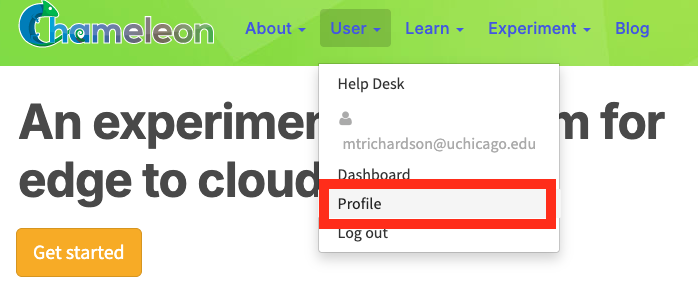
Navigate to the user profile page through the User tab
Accessing your profile
You can reach your Profile page via:
The user dashboard: Select the Profile tab from the User Dashboard.
The navigation bar: Click your name in the top-right corner of any portal page, or hover over the User tab, and select Profile from the dropdown menu.

Profile overview
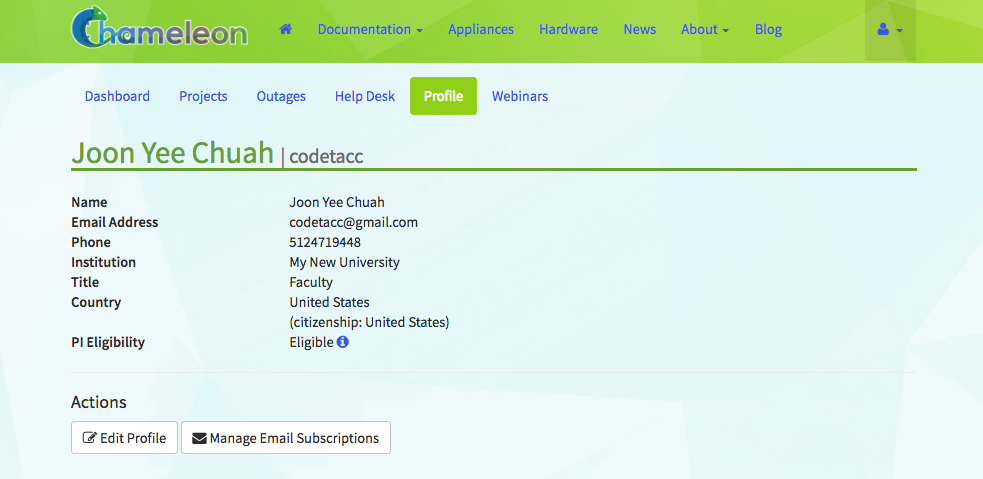
The Profile page
The Profile page shows summary of your account information:
Field |
Description |
|---|---|
Name |
Your full name |
Email Address |
The email address associated with your account |
Phone |
Your contact phone number |
Institution |
Your institution and department |
Title |
Your position or role |
Country |
Your country of residence, with country of citizenship in parentheses |
PI Eligibility |
Your current PI eligibility status |
Editing your profile
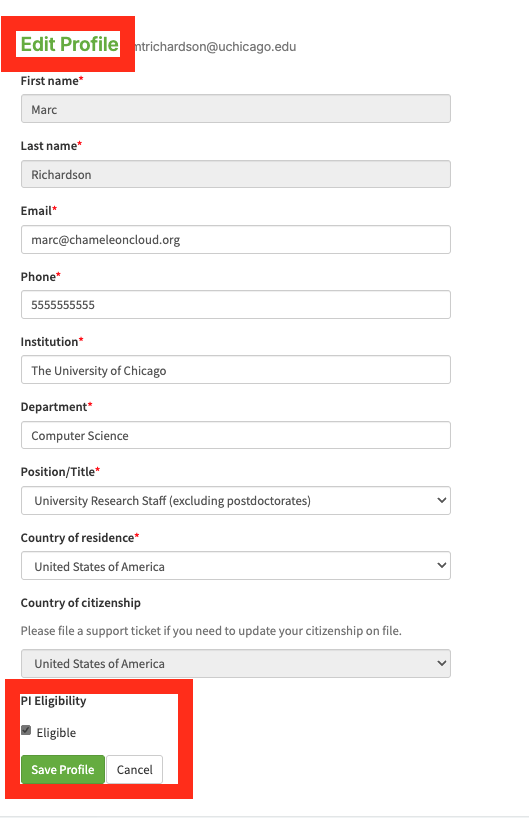
Edit profile page
Click Edit Profile to open the edit form. Update account fields, then click Save Profile to apply your changes or Cancel to return to the profile view without saving. You can also request Principal Investigator (PI) eligibility if you do not have it already from this page. See more about requesting PI status in PI Eligibility.
Warning
Country of citizenship and name cannot be edited directly. To these fields, you must file a support ticket.
Managing email subscriptions
Your profile page provides access to two mailing lists. Click either button to open the external subscription page where you can subscribe or unsubscribe:
Outage Notifications Mailing List — Notifications about system outages
Chameleon Users Mailing List — General Chameleon user community announcements
Terms of use
Our terms of use documents are available at the bottom of the profile page:
Chameleon User Terms of Use — Applicable to all users
Chameleon Project Lead Terms of Use — Applicable to users who act as project leads (PIs); see the “Project Leaders/PI’s” section of the Terms of Use